
ONLINE PLAY · THE HONEST ANSWER · NOVEMBER 2026
Can You Play PVZ Fusion Online?
Research reviewed November 2026 · What the browser copies really are — and where the real game lives
No. There is no official online or browser version of PVZ Fusion. The real game is a fan-made game by LanPiaoPiao that you download and install on Windows PC or Android — the current version is 4.1 (November 2026), and it is free. The websites that let you “play PVZ Fusion online” are running older, smaller web copies made by other people. Some are playable and harmless fun for five minutes, but none of them is the full game: they are behind on versions, missing modes and fusions, and most carry ads. This page shows exactly what those copies are, how they differ from the real game, and where to get the real one safely.
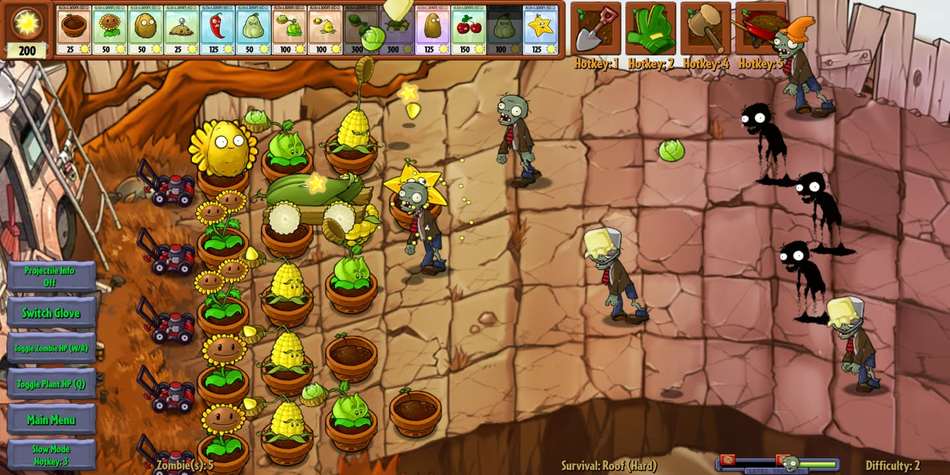
PVZ Fusion gameplay — hybrid plants defending the roof in Survival mode
What is PVZ Fusion — is it an official game?
PVZ Fusion (Plants vs. Zombies Fusion) is a fan-made game, not an official Plants vs. Zombies release. A developer known as LanPiaoPiao built it in Unity and first showed it on Bilibili in 2024. It is a standalone game: you install it by itself, and it does not modify or need an original Plants vs. Zombies copy. It is not made by EA or PopCap, and it is not connected to them.
The idea that made it famous is the fusion mechanic. In the original game, one plant does one job. Here, you plant one plant on top of another and they merge into a hybrid — a Peashooter planted on a Sunflower becomes a Sunshooter that produces sun and shoots at the same time. Hundreds of combinations, an in-game Almanac that tracks them, and modes like Odyssey, Travel Mode and the Abyss grew around that one idea.
Because it is a fan game, you will not find it where official games are sold. That single fact explains almost every confusing search result about this game — including the “online” ones below.
What are the “play online” websites actually running?
Search “pvz fusion online” and you land on game portals — Yandex Games, Playhop, Rocket Games, GameFunBar, GamesFree, Miniplay and similar sites, plus fan recreations on Scratch. They all work the same way: press play, and a version of the game loads inside the web page. So why does this page say there is no online version?
Because none of those copies comes from LanPiaoPiao, and none of them is the current game:
- They are old builds. The web copies are based on early versions of the game (one popular portal build still calls itself version 0.9.0). The real game has moved on — the current release is 4.1, with content the copies simply do not have.
- They are cut down. Fewer plants, fewer fusions, missing modes. The Almanac, Travel Mode, the Abyss and the newest fusions live in the downloaded game, not in a browser tab.
- Your progress is fragile. A browser copy saves into your browser, if it saves at all. Clear your cache, change browsers or let the portal change its files, and your lawn is gone.
- Most are wrapped in ads, and a few ask you to create an account to “save” your game. The real game asks for neither.
One more warning, because it causes real confusion: some of these portals credit the game to names like “Gaozih”, “Hyperionlore” or “IceCreamStudio”. Those are portal publishers or plain mistakes. The developer is LanPiaoPiao. And if a website ever asks you to pay for PVZ Fusion — close it. The game is free; a paid listing is a scam.
Browser copy vs the real game
| Browser copies (portals) | The real game (download) | |
|---|---|---|
| Version | Old builds (0.9–3.x era) | Current release 4.1 (Nov 2026) |
| Made by | Portal publishers, unknown editors | LanPiaoPiao (original developer) |
| Fusions & plants | Small, early selection | Full roster, tracked in the Almanac |
| Modes | Basic levels, sometimes a sandbox | Adventure, Odyssey, Travel Mode, Abyss, challenges |
| Your progress | Browser storage — easily lost | Saved in the game on your device |
| Ads | Usually yes | None |
| Updates | Rarely, if ever | New versions still releasing |
| Language | Mixed, often partial | Chinese original; English translation available |
Where do you actually get the real game?
The real game is a download for Windows PC and Android. Getting it takes a few minutes, and you do not need a Discord account to play it:
- On PC: download the Windows build, unzip it, and run the game file. No installer tricks, no launcher.
- On Android: download the APK and allow installation from your browser or file manager when Android asks. The original build is in Chinese; an English version exists (next sections).
- Start from a page that checks its files. Our download page carries the verified English builds directly — no waiting pages, no timers, no extra software bundled in.
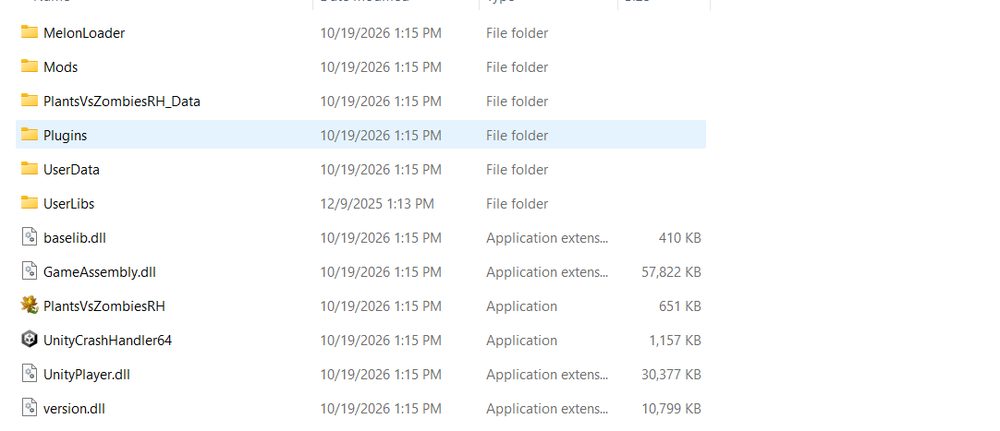
New versions appear first in Chinese, announced through the developer’s channels and the community Discord servers (Blooms and the PVZ: Fusion Wiki community). The English translation follows after — more on that below.
Is PVZ Fusion safe to download?
This is the question players ask most after “can I play it online”, and the honest answer has two parts.
First: no fan game can honestly be promised “100% safe”, and you should distrust any site that prints that promise next to a download button — several portal and download sites do exactly that, with badges and claims they never prove.
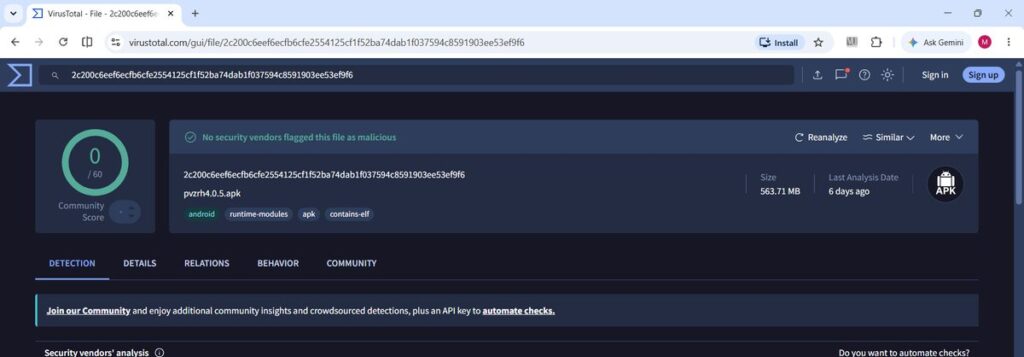
Second: the original builds have a track record you can check. The original Chinese Android builds are signed by LanPiaoPiao’s own developer certificate — we verify the signature on the builds we list, and the same game has been downloaded and played by a very large community for over a year. What actually puts players at risk is not the original game; it is the crowd of copycat sites re-uploading altered files, fake “mod” APKs, and installers bundled with extra apps.
Stay safe with three habits: download only from a page that names its source, scan the file before installing (Android and Windows both have built-in scanners), and back up your save folder before updating to a new version. Our full checks are written up on the Is PVZ Fusion Safe? page.
Which devices can play it — and which cannot
| Device | Can it play the real game? |
|---|---|
| Windows PC | Yes — full game |
| Android phone/tablet | Yes — full game (Chinese original + English translation) |
| iPhone / iPad (iOS) | No — there is no iOS version; “PVZ Fusion IPA” sites are fake |
| Mac | No native version |
| Chromebook / Xbox / Steam Deck | No official version — only the browser copies run there |
| Google Play / App Store / Steam | Not listed — any store page using this name is not the real game |
The store row matters. At least one big portal tells visitors to “install PVZ Fusion from the Play Store, App Store or Steam”. It is not on any of them. If you find a paid app with this name in a store, it is someone selling a fan’s free game — do not buy it.
Does PVZ Fusion have multiplayer?
No. PVZ Fusion is a single-player game. You may have seen videos titled “PVZ Fusion Multiplayer” or “PVZ Fusion but it’s 4 players” — some of them have millions of views. Those are separate fan edits and local-play mods made by other creators, not a mode inside the real game, and there is no online multiplayer, no co-op campaign and no playing against a friend over the internet in LanPiaoPiao’s builds. If multiplayer is what you are looking for, the honest answer is that this game does not have it.
Can you play it at school, unblocked?
Partly — and it is worth knowing exactly what “partly” means. The browser copies sometimes load on school or office networks because they are just web pages. If one opens, you are playing the old, cut-down copy described above, on a page surrounded by ads, and many school networks block game portals anyway. The real game cannot be “unblocked” in a browser, because it was never a browser game: it is a download, and it needs a device you are allowed to install things on. Never type a personal account or password into a portal site to “save” a school game session.
Is the game still being updated? What is the current version?
Yes. The current release is 4.1 (November 2026), and new versions still arrive — 4.0 and its updates landed through October 2026, and the version archive now runs from 3.6.1 to 4.1. Updates are free, and updating means installing the new build; back up your saves first, because jumping versions is where players most often lose progress. The full version history lives on our versions page, and when a new release lands, we check it and update this page too.
Can you play PVZ Fusion in English?
Yes — with one step in between. The original game is in Chinese, because that is its developer’s language. Two community efforts fix that:
- Android: the English translation by silvershadowkat, published on GitHub (https://github.com/silvershadowkat/pvzf-android-translation), follows each Chinese release. The 4.1 English build is rolling out as pre-releases right now.
- PC: a multi-language patch by Teyliu covers the PC builds.
Our English version page tracks which English build matches which game version, so you do not have to guess from a forum post.
QUICK ANSWERS
Quick answers
Yes. The game and its updates are free. Any site charging for it is a scam.
No official app exists on Google Play or the App Store. On Android, the game itself is the APK you install directly.
The sandbox sites are the same browser copies with a free-build mode switched on. The downloaded game’s modes and challenges are the full version of that idea.
Yes — it is a display setting issue, and the steps are on our troubleshooting page.
In the in-game Almanac, and in our recipes and guides — the browser copies only carry the early part of the list.
The FAQ page answers the rest, and patch notes and new-version news are posted as they land. The community Discord is at https://discord.gg/pvzfusion — join it from there.
How we check: every version, file and claim on this page was checked against the original releases and the translators’ published builds before writing. Facts checked November 2026. PVZ Fusion is a fan-made game by LanPiaoPiao; this site is an independent guide and is not affiliated with the developer, EA or PopCap.
Last updated: 15 November 2026 — updated whenever a new version releases.